How much life is left on your laptop - how to understand its real condition

Every laptop, whether new or refurbished, has its own life cycle, which depends on the way it is used, regular maintenance and the quality of the components.
Knowing how to check its real condition can save you from unexpected damage, data loss and unnecessary expenses. In addition, proper care can significantly extend the life of your device.
1. Check the battery condition
The battery is often the first component that “gives out” the age of the laptop.
MacBook: use the CoconutBattery application – it shows the capacity, number of cycles and current status.
Windows: using BatteryInfoView you can check how many times the battery has been charged and what its real capacity is.
If the capacity is below 80% or the laptop has over 1000 charging cycles, it is time to consider replacing the battery.
Tip from Hop.bg: Do not keep the laptop constantly plugged into the charger. Keep the charge level between 20% and 80% – this extends the battery life and prevents overheating.
2. Check the disk – the “heart” of your laptop
The health of the disk is directly related to the performance and security of your data.
For Windows: use CrystalDiskInfo to check the temperature, errors and total operating time.
For Mac: open Disk Utility → First Aid to diagnose the SSD or HDD.
If you see a “Caution” or “Bad” status, this is a signal that the disk is worn out and needs to be replaced.
Tip: Regular backups of your important files are a must – especially for older devices.
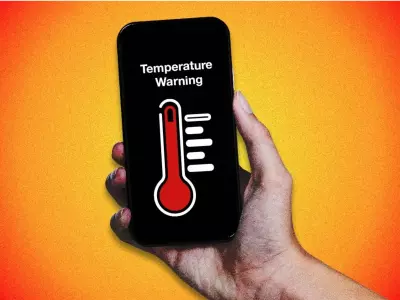
3. Temperature and cooling – the silent wear factor
Overheating is one of the main enemies of laptops. It leads to faster wear of the processor, graphics card and even the battery.
Windows: check the temperature with HWMonitor.
Mac: Use Macs Fan Control to monitor and control the fans.
If the temperature often exceeds 85°C, do preventive maintenance – dust removal, changing thermal paste and checking the cooling. This can restore normal operation and prevent future damage.
4. Performance and software – when the laptop “slows down”
Slow startup, noisy fan or frequent “freezes” often mean that the system needs attention.
Possible causes include:
accumulated temporary files and cache,
too many programs starting automatically,
or the need to reinstall the operating system.
Bonus tip: Use free tools like CCleaner or Windows Storage Sense to keep your system optimized.
5. Refurbished laptops – already checked and ready to work
At Hop.bg, each device undergoes a full diagnostic, including a battery, disk, temperature and performance test, before being offered for sale. This way you can be sure that you are getting a refurbished laptop with a verified “remaining life”, optimal performance and a guarantee of reliability. By choosing a refurbished laptop from Hop.bg, you not only save money, but also contribute to sustainable consumption – because every saved device is a step towards a greener future.
Monitoring the condition of your laptop is the key to a longer life and lower costs. And if you feel that yours is already at the end of its life cycle – trust the refurbished laptops from Hop.bg, which have passed all the checks and are ready for a new life with you.
In the meantime, on the Hop.bg website you can view all available offers for refurbished equipment at affordable prices. Visit our stores in Sofia, Plovdiv, Pleven, Varna and Ruse and see for yourself the quality of the wide variety of products we offer.
Previous post Next postLast publications

Last publications




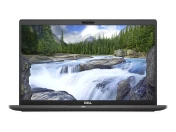
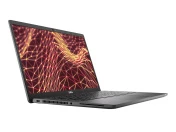
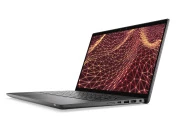
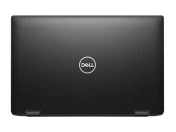
LaptopDell Latitude 7430, i7-1265U, 32GB, 256GB SSD, 14'' Touchscreen IPS Full HD 1920x1080
- Refurbished
569.00 €
519.00 €




1259.00 €
1159.00 €