

Does heat kill your battery? How high temperatures affect your devices
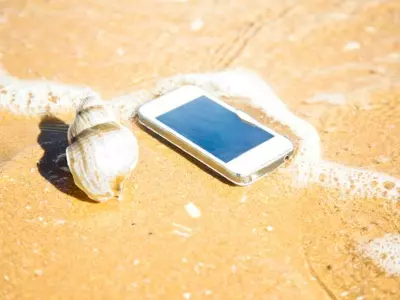
Summer is the season of vacations, trips, and long days outdoors. However, the heat also "travels" with our devices - smartphones, laptops, tablets, and smartwatches. Few people realize that high temperatures are one of the biggest enemies of batteries and electronics.
If your phone has ever shown an overheating message or your laptop has started to work slower on a hot day, it's no coincidence. In this article, we'll look at how heat affects devices, what their normal operating temperature is, what to do if you see an overheating warning, and what the most common myths on the subject are.
What is the normal operating temperature of devices?
Every electronic device generates heat during operation. The processor, graphics chip, battery, and charger all release energy that needs to be dissipated.
For most modern devices, the normal operating temperature is:
Smartphones: between 30°C and 40°C, and during heavy applications it can temporarily reach around 45°C.
Laptops: the case usually stays between 30°C and 45°C, while the processor can reach 80–95°C under high load.
Batteries: Lithium-ion batteries work most efficiently at an ambient temperature between 20°C and 25°C.
Problems start when the device is exposed to temperatures above 35°C for a long time, especially if it is left in direct sunlight.
Why is heat dangerous?
High temperatures accelerate the chemical aging of lithium-ion batteries. This leads to:
faster capacity loss;
shorter battery life;
more frequent charging;
risk of the battery swelling if it overheats for a long time.
In addition to the battery, other components also suffer. The processor automatically starts to reduce its performance (the so-called thermal throttling) to protect itself from damage. This is why your phone or laptop can become noticeably slower on hot days.
What to do if you get an overheating warning?
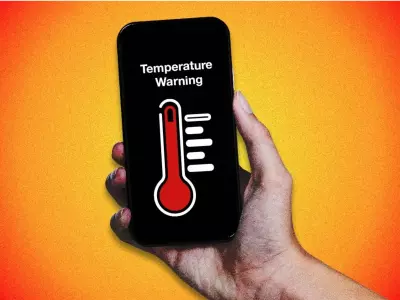
If you get a message that your device is too hot, the most important thing is not to ignore it.
Follow a few easy steps:
1. Move your device to the shade
Even a few minutes in direct sunlight can significantly increase the temperature.
2. Stop heavy applications
Games, video processing, GPS navigation and work with artificial intelligence put the most strain on the processor and battery.
3. Turn off charging
Charging itself heats up the battery. If the device is already hot, wait for it to cool down.
4. Remove the thick case
Some cases retain heat and interfere with cooling.
5. Let the device cool down naturally
Do not place the phone in a refrigerator, freezer or in front of an air conditioner with a strong stream of cold air. The sharp temperature difference can cause condensation and damage the electronics.
The most common myths about overheating
Myth #1: "The hotter the device, the more powerful it works."
Not really.
Modern processors automatically reduce their frequency at high temperatures. Instead of more performance, you get the opposite - the device starts to work slower.
Myth #2: "If the battery heats up when charging, there is no problem."
Slight heating is normal.
However, strong heating is not. If your phone or laptop gets too hot every time you charge it, it is a good idea to check the charger, cable or battery condition.
Myth #3: "Refurbished devices overheat more."
This is one of the most common myths.
Quality refurbished laptops and smartphones undergo diagnostics, cleaning and testing before reaching the end user. If the cooling is in working order and the battery has been checked, refurbished equipment works according to the same temperature standards as any other device.
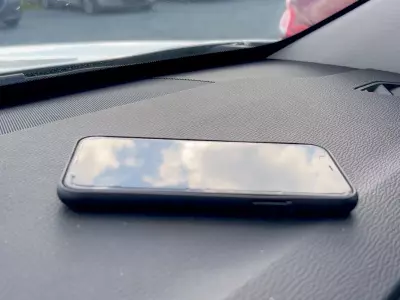
Myth #4: "Your phone can safely stay in the car."
In fact, this is one of the most dangerous places.
The temperature in a parked car in the summer can exceed 60°C, which is enough to damage the battery, display, and even the adhesives that hold the individual components together.
How to protect your device in the summer?
A few simple habits can significantly extend the life of your battery:
Do not leave your device in direct sunlight.
Avoid charging on a blanket, sofa, or soft surfaces.
Clean the ventilation holes of your laptop regularly.
Use a laptop cooling pad if possible.
Reduce the brightness of the screen when working outside.
Do not use heavy applications while the device is charging.
Why is this important for refurbished equipment?
Whether you are using a new or refurbished laptop, proper battery care is equally important.
Quality refurbished devices are a great choice when you’re looking for reliable tech at a more affordable price. And when used properly and protected from excessive heat, you can count on them to last for years.
Heat isn’t just an inconvenience—it’s a factor that actually affects the battery life and performance of your devices. The Good News
Next postLast publications

Last publications









WorkstationLenovo ThinkStation P520 Tower, W-2123, 16GB, 256GB SSD, Quadro P2000
- Refurbished
479.00 €
439.00 €



99.00 €
89.00 €



279.00 €
269.00 €
229.00 €
