The biggest disadvantage of Apple MacBook Pro Retina

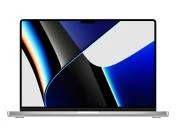
At the Hop.bg online store, you will find a variety of used MacBook Pro laptops of the Apple brand. Some of them are with status revalued, i.e. they have traces of use. In the models produced in 2013, 2014, and 2015 with a Retina display, a common cosmetic defect is the so-called Staingate, which constitutes wearing off or peeling off of the display’s anti-reflective coating.
It is caused by pressure, dirt and cleaning with inappropriate cleaning solutions and cloths, which results in the appearance of stains. The most frequently affected areas are those where the keys and touchpad press against the screen when closed, as well as around the frame.
This issue does not interfere with the operation of the device at all, since the anti-reflective coating is only the last layer on the display, and if there are damages, they are most often visible when the MacBook is switched off.
In order to protect your Retina, we at Hop.bg recommend that you clean the laptop with suitable cloths and cleaning solution, avoid dusty rooms, and not apply pressure against the display, especially during transportation.
Previous post Next post