

How to turn your phone into a productivity machine (without new apps)
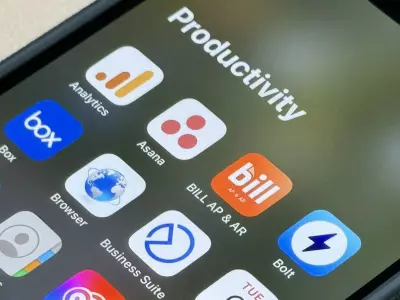
Your smartphone is both the most useful and the most distracting tool in your daily life. Most people are looking for the “magic” productivity app, but the truth is that your phone already has almost everything you need. You just need to set up the features you use every day.
In this article, we’ll show you how to turn your phone into a true productivity machine—without installing new apps or spending money on a newer model.
Why don’t most people use their phones effectively?
The main problem isn’t a lack of features, but an excessive amount of distractions:
constant notifications;
a cluttered home screen;
too many open apps;
lack of organization;
using your phone primarily for social media.
The good news is that both Android and iPhone offer built-in tools for organization, focus, and automation.
1. Set up your home screen as a workspace
The first step to a more productive phone is to eliminate visual noise.
What to do:
Leave only:
Phone;
Camera;
Calendar;
Notes;
Browser;
Email on the first screen.
Move social networks to the second or third screen.
Use folders with clear names:
"Work"
"Banking"
"Travel"
"Documents"
A small trick with a big effect
Remove the apps you open impulsively from the home screen. Even if they remain installed, the fact that you have to search for them manually significantly reduces distraction.
2. Turn off unnecessary notifications
Notifications are the biggest enemy of concentration.
Every time the phone lights up, the brain loses focus and it takes minutes to get back to the task.
Leave only:
Calls;
Messages from important people;
Calendar reminders;
Bank notifications;
Work apps.
Turn off notifications for:
Social networks;
games;
online stores;
promotions;
news apps.
After a few days, you will feel how much calmer and more focused you become.
3. Use the “Do Not Disturb” mode
Most people activate this mode only in the evening, but it is extremely useful during the day as well.
Example:
Set your phone to automatically enter the “Do Not Disturb” mode:
from 09:00 to 11:00;
during meetings;
while driving;
during exercise.
This way, your phone stops interrupting you at the most important moments.
4. Use widgets instead of opening apps
Widgets save time and reduce distractions.
Instead of:
opening the calendar;
searching for notes;
checking the weather;
reviewing tasks;
…you can see everything directly on the home screen.
The most useful widgets:
calendar;
tasks;
notes;
battery;
weather;
timer;
music control.
5. Use voice commands
Your phone already has a powerful voice assistant.
You can:
create reminders;
send messages;
start a timer;
add events to the calendar;
take notes;
start navigation.
Example:
Instead of typing:
“Remind me to send the offer tomorrow at 10.”
Just say it to your phone.
This is especially useful while driving or working.
6. Set up automatic synchronization
Many people still send files to themselves or lose photos and documents.
Synchronization between:
phone;
laptop;
tablet;
cloud space;
saves a huge amount of time.
What to sync:
photos;
contacts;
notes;
calendar;
passwords;
documents.
7. Use your phone as a scanner
You don't need a separate document scanner.
Most modern phones have a built-in function for:
scanning documents;
text recognition;
signing PDF files.
This is especially useful for:
contracts;
invoices;
notes;
office documents.
8. Set up shortcuts and automations
Android and iPhone allow you to automate everyday actions.
Examples:
Automatically:
turn on Wi-Fi at home;
activate silent mode in the office;
play music when you exercise;
reduce the brightness in the evening;
start navigation to work.
These small automations save dozens of actions every day.
9. Monitor screen time
Your phone probably already has:
Screen Time;
Digital Wellbeing;
Focus Mode.
These features show:
how much time you spend on apps;
how many times you unlock your phone;
which apps waste the most time.
Useful habit
Set a daily limit for:
TikTok;
Instagram;
YouTube;
Facebook.
Even a 30–40 minute daily reduction has a huge impact on productivity.
10. Don’t change your phone if your current one is still working well
Many people think that productivity comes with a newer phone model. In reality, good organization is more important than the latest hardware.
Even an older smartphone can work great for:
work;
emails;
photos;
online meetings;
navigation;
task organization.
If you’re looking for a reliable smartphone at a better price, refurbished devices are a reasonable alternative. At Hop.bg you can find verified refurbished phones with a warranty that offer excellent performance for everyday work and productivity.
Last publications
Last publications



1239.00 €
1109.00 €
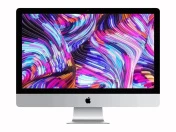
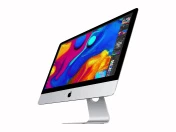
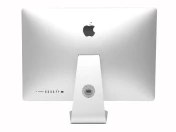
ComputerApple iMac 27’’ A2115 (2019) Silver, i5-8500, 32GB, 512GB SSD, Retina 5120x2880, Radeon Pro 570X
- Refurbished
649.00 €
599.00 €
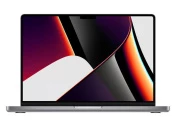
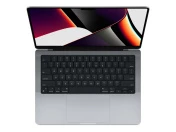
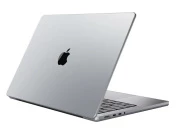
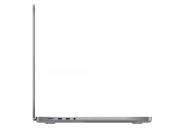
LaptopApple MacBook Pro A2442 (2021) Space Gray, Apple M1 Pro, 32GB, 512GB SSD, 14'' Liquid Retina 3024x1964
- Refurbished
899.00 €
849.00 €

LaptopDell Latitude 7520, i5-1145G7, 16GB, 512GB SSD, 15.6" Touchscreen IPS Full HD 1920x1080
- Refurbished
579.00 €
529.00 €

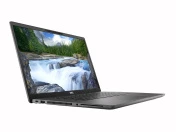
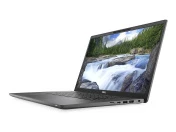
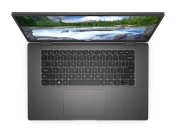
LaptopDell Latitude 7520, i5-1145G7, 16GB, 512GB SSD, 15.6" Touchscreen IPS Full HD 1920x1080
- Refurbished
529.00 €
489.00 €
