

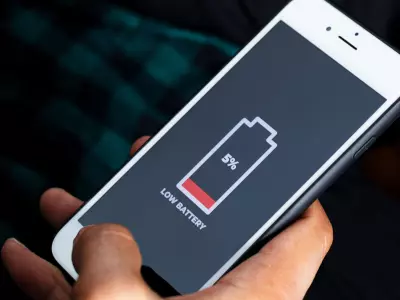
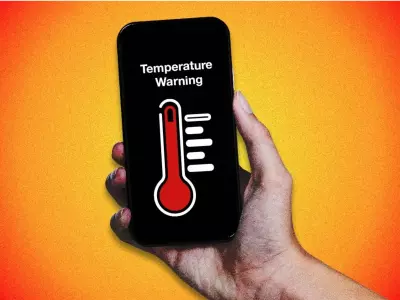
Battery life is one of the most important factors when choosing and using a smartphone – especially when it comes to a refurbished phone. The good news is that both Android and iPhone have hidden or little-known settings that can significantly extend the time between charges.
In this article from Hop.bg, we will show you 10 effective settings that you can activate today to optimize your battery and use your phone longer and smarter.
Why is battery optimization important?
Even the best smartphones lose capacity over time. With the right settings:
Reduce battery wear
Extend the overall life of the device
Improve everyday productivity
This is especially important with refurbished iPhones and Android phones, which are fully functional but require intelligent use.
5 Hidden Android Settings
1. Adaptive Battery
Settings → Battery → Adaptive Battery
Android limits the background activity of apps that you rarely use, thus saving power.
2. Limit background apps
Settings → Apps → Battery
Many apps consume battery even when you are not actively using them. Limit them manually.
3. Turn off constant scanning for Wi-Fi and Bluetooth
Settings → Location → Location services
Your phone searches for networks even when Wi-Fi is off - this drains the battery imperceptibly.
4. Reduce the refresh rate
Settings → Display → Refresh rate
120 Hz screens are impressive, but 60 Hz saves significantly more power.
5. Dark Mode
Settings → Display → Dark theme
Especially effective on OLED displays - reduces consumption and is easy on the eyes.
5 Hidden iPhone Settings
6. Optimized Battery Charging
Settings → Battery → Battery Health & Charging
iPhone learns from your habits and slows down charging above 80% to protect the battery.
7. Turn off Background App Refresh
Settings → General → Background App Refresh
Less than necessary apps.
8. Reduce Motion Effects
Settings → Accessibility → Motion → Reduce Motion
Less animations = less CPU usage.
9. Restrict Location Services
Settings → Privacy & Security → Location Services
Set “While Using the App” instead of “Always.”
10. Analytics and System Telemetry
Settings → Privacy → Analytics & Improvements
Turning off analytics sharing saves resources and energy.
Whether you’re using a refurbished iPhone or an Android smartphone, these settings can significantly improve battery life. Small changes in daily use lead to big effects in the long run.
At Hop.bg, we believe that intelligent optimization is the key to a longer life for any device – new or refurbished. On our website you can view all available offers for refurbished equipment at affordable prices. Visit our stores in Sofia, Plovdiv, Pleven, Varna and Ruse and see for yourself the quality of the wide variety of products we offer.
Previous post Next postLast publications
Last publications





LaptopApple MacBook Pro A2442 (2021) Space Gray, M1 Pro, 16GB , 512GB SSD, 14.2'' Liquid Retina 3024x1964
- Refurbished
849.00 €
789.00 €
249.00 €
229.00 €
