

How to speed up an old phone - easy steps to make it run faster without a hardware upgrade
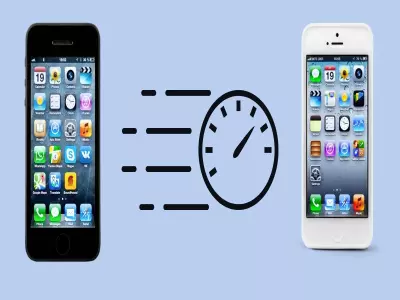
Over time, every smartphone starts to run slower – apps open sluggishly, the battery drains faster, and the system “jams” even during basic actions. The good news is that you don’t have to buy a new phone or make an expensive hardware upgrade to improve performance.
In this article, we’ll show you how to speed up an old phone with easy and effective steps that anyone can implement on their own.
Why is an old phone slow?
Before we move on to the solutions, it’s important to understand the main reasons for the slowdown:
Cache and temporary file accumulation
Too many installed apps
Apps running in the background
Outdated or overloaded operating system
Lack of free memory space
1. Free up memory space
One of the most common reasons for slow performance is full internal memory.
What you can do:
Delete unused apps
Remove old photos and videos (or back them up to the cloud)
Clear your Downloads folder
Check for duplicate files
Tip: Aim for at least 20–25% free storage for optimal performance.
2. Clear app cache
Cache helps apps load faster, but it can become a drag over time.
Steps:
Settings → Apps
Select a specific app
Tap “Clear cache”
Important: Don’t delete “data” unless you know what you’re doing—this can lead to losing settings or account logins.
3. Limit background apps
Many apps keep running even when you’re not using them.
How to control them:
Disable automatic startup of unnecessary apps
Limit background activity in battery settings
Uninstall “heavy” apps that you rarely use
This will improve not only speed, but also battery life.
4. Reduce animations and visual effects
Animations look good, but they put a strain on the processor – especially on older phones.
How to reduce them (Android):
Enable “Developer options”
Reduce or disable:
Animation scale
Transition scale
Animator duration scale
The result is a noticeably faster system response.
5. Update the software (or… not always)
Software updates often bring improvements and fixes, but on older models they can sometimes slow down the device.
Recommendation:
Install small and stable updates
Avoid major OS versions if the phone is 4–5 years old
6. Restart the phone regularly
A simple but extremely effective trick.
Restarting:
Stops unnecessary processes
Frees up RAM memory
Improves overall stability
Good practice: 1–2 times a week.
7. When is it time for a refurbished phone?
If you've tried everything and your phone is still too slow, it might be time for a more sensible solution.
Instead of a new and expensive model, a refurbished phone from Hop.bg offers:
Significantly better performance
A tried and tested device
Lower price
A more environmentally friendly choice
Speeding up an old phone doesn't require special skills or investments. With a few easy steps, you can improve its speed, stability, and enjoyment of using it. And when the time comes to replace it – refurbished equipment is the smart choice.
In the meantime, on the Hop.bg website you can view all available offers for refurbished appliances at affordable prices. Visit our stores in Sofia, Plovdiv, Pleven, Varna and Ruse and see for yourself the quality of the wide variety of products we offer.
Previous post Next postLast publications

Last publications








209.00 €
179.00 €


99.00 €
89.00 €




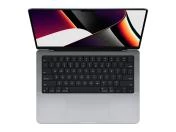


LaptopApple MacBook Pro A2485 (2021) Space Gray, Apple M1 Pro, 16GB, 512GB SSD, 16'' Liquid Retina XDR 3456x2234
- Refurbished
799.00 €
749.00 €
