

10 keyboard shortcuts that will save you time on your laptop
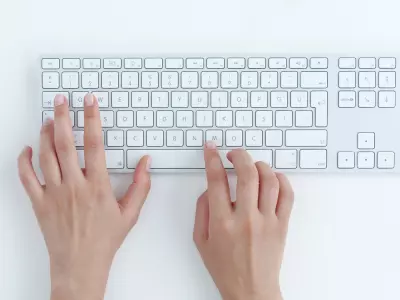
In a busy everyday life, every second is precious. Whether you are working, studying or just surfing the internet, using keyboard shortcuts can significantly speed up your work on a laptop. Instead of searching for functions with the mouse, a few keystrokes can save you time and effort.
In this article from Hop.bg, we will show you 10 useful keyboard shortcuts that work on both Windows and macOS and can make your work more efficient.
1. Copy text or file
One of the most frequently used functions on any computer.
Windows: Ctrl + C
macOS: Command (⌘) + C
Use this combination to copy text, images or files quickly and easily.
2. Paste
After copying content, the next logical step is to paste it.
Windows: Ctrl + V
macOS: Command (⌘) + V
This is one of the most useful shortcuts when working with documents, emails, or spreadsheets.
3. Cut
This feature moves selected content to a new location.
Windows: Ctrl + X
macOS: Command (⌘) + X
Ideal for editing text or moving files.
4. Undo
Accidentally deleted text? No problem.
Windows: Ctrl + Z
macOS: Command (⌘) + Z
This is one of the most life-saving shortcuts when working with documents and software.
5. Redo
If you want to undo an undone action.
Windows: Ctrl + Y or Ctrl + Shift + Z
macOS: Command (⌘) + Shift + Z
6. Quickly switch between applications
If you work with many programs at the same time, this combination will become your favorite.
Windows: Alt + Tab
macOS: Command (⌘) + Tab
With it, you can quickly switch between open applications.
7. Lock your computer
Perfect when you work in a public place or in an office.
Windows: Windows + L
macOS: Control + Command (⌘) + Q
This way you can lock your device in seconds and protect your data.
8. Quick search
Instead of searching for files manually, use the built-in search.
Windows: Windows + S
macOS: Command (⌘) + Space
This will open the system search engine and allow you to find applications, files or settings almost instantly.
9. Close current window
When you want to quickly close a program or tab.
Windows: Alt + F4
macOS: Command (⌘) + W
Extremely useful when working with many open windows.
10. Take a Screenshot
Screenshots are useful for work, learning, or sharing information.
Windows: Windows + Shift + S
macOS: Command (⌘) + Shift + 4
These shortcuts allow you to select a specific part of the screen to capture.
Why do keyboard shortcuts make work faster?
When you use the keyboard instead of the mouse, you reduce the number of movements and time it takes to complete a task. In the long run, this can save you hours of work each week, especially if you spend a lot of time in front of your laptop.
Keyboard shortcuts also improve productivity because they allow you to work more smoothly between different applications and tasks.
Whether you use a Windows laptop or a MacBook, mastering a few basic keyboard shortcuts can significantly improve the way you work. Even if you start with just 3–4 of them, you will soon notice how much faster you complete your daily tasks.
If you are looking for a reliable laptop at a more affordable price, check out the offers for refurbished equipment at Hop.bg - an excellent choice for work, study, and everyday use.
Previous post Next postLast publications




Last publications








LaptopDell Latitude 7430, i5-1245U, 16GB, 256GB SSD, 14'' IPS Full HD 1920x1080
- Refurbished
509.00 €
459.00 €



309.00 €
269.00 €




89.00 €
79.00 €



Mobile WorkstationHP ZBook Fury 16 G10, i7-13850HX, 32GB, 1TB SSD, 16'' IPS WUXGA 1920x1200, RTX A1000
- Refurbished
1809.00 €
1709.00 €
