

How to backup your phone in 10 minutes
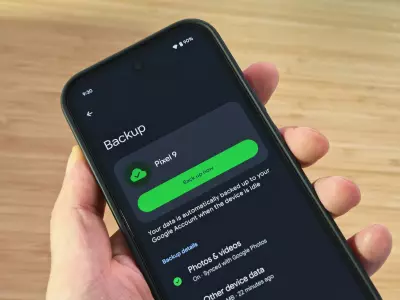
Nowadays, our phones contain almost our entire digital life – photos, contacts, messages, documents and even banking apps. Losing this data can be extremely unpleasant. The good news is that you can back up your phone in just 10 minutes using cloud services like iCloud or Google Drive.
In this article, we’ll show you how to quickly and easily protect your information – whether you’re using an iPhone or an Android phone.
Why is it important to back up your phone?
A backup is a copy of all the important data on your phone that is stored in the cloud or on another device. It can save you in a number of situations:
Lost or stolen phone
Damaged device
Switching to a new phone
Factory reset
If you have an up-to-date backup, you can restore everything – from photos to app settings – with just a few clicks.
How to Back Up iPhone with iCloud
If you're using an iPhone, the easiest way to back up your data is through iCloud.
Steps to back up:
Open Settings on your phone.
Tap your name at the top of the menu.
Select iCloud.
Tap iCloud Backup.
Enable Back Up This iPhone.
Tap Back Up Now.
Typically, the backup takes between 5 and 10 minutes if you have a stable Wi-Fi connection.
What's saved in iCloud?
Photos and videos
Contacts
Messages
Phone settings
App data
Tip: It's a good idea to enable automatic backup so that your phone is backed up every night when it's connected to Wi-Fi and a charger.
How to back up Android with Google Drive
For Android devices, the easiest option is through Google Drive, which is integrated into almost all phones.
Steps to back up:
Open Settings.
Select Google.
Tap Backup.
Turn on Backup by Google One or Backup to Google Drive.
Tap Back Up Now.
In a few minutes, your information will be safely stored in your Google Account.
What is backed up?
Contacts
SMS messages
Call history
Photos (if you use Google Photos)
Device settings
App data
Quick tips for a more secure backup
To make sure your data is protected:
Back up at least once a month
Use a stable Wi-Fi connection
Check that the backup completed successfully
Also store important photos in the cloud
How backup helps when changing your phone
If you plan to change your device – for example, with a refurbished smartphone – a backup is the easiest way to transfer all your data. When you turn on your new phone for the first time, you simply sign in to your Apple or Google account and the system automatically offers to restore the backup.
So in a few minutes, your new phone will look and work exactly like your old one.
Backing up your phone is one of the most important steps to protecting your data. With iCloud and Google Drive, you can do this quickly, easily, and completely free – often in less than 10 minutes.
And if you’re planning to replace your device with a more affordable and environmentally friendly alternative, check out the refurbished phone deals on Hop.bg – the perfect time to start fresh with fully protected data.
Previous post Next postLast publications
Last publications




WorkStationLenovo ThinkStation P520C Tower, W-2223, 32GB, 512GB SSD, Quadro P1000
- Refurbished
489.00 €
449.00 €


269.00 €
249.00 €
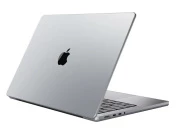
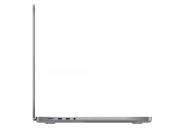
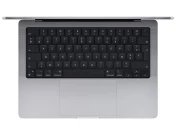
LaptopApple MacBook Pro A2442 (2021) Space Gray, Apple M1 Pro, 32GB, 512GB SSD, 14'' Liquid Retina 3024x1964
- Refurbished
899.00 €
849.00 €
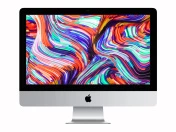
ComputerApple iMac 21.5’’ A2116 (Late 2019) Space Gray, i3-8100, 16GB, 500GB SSD, Retina 4096x2304, Radeon Pro 555X
- Refurbished
499.00 €
399.00 €
